
Before you start
You’ll need a Cloudflare account, a GitHub account, and a SellAuth shop on a plan that supports custom payment methods.1. Deploy the bridge
Click the button below, connect GitHub to Cloudflare, and enter these settings when prompted:
Keep API keys in Cloudflare secrets, not GitHub or normal variables.
2. Copy the Worker URL and approve it
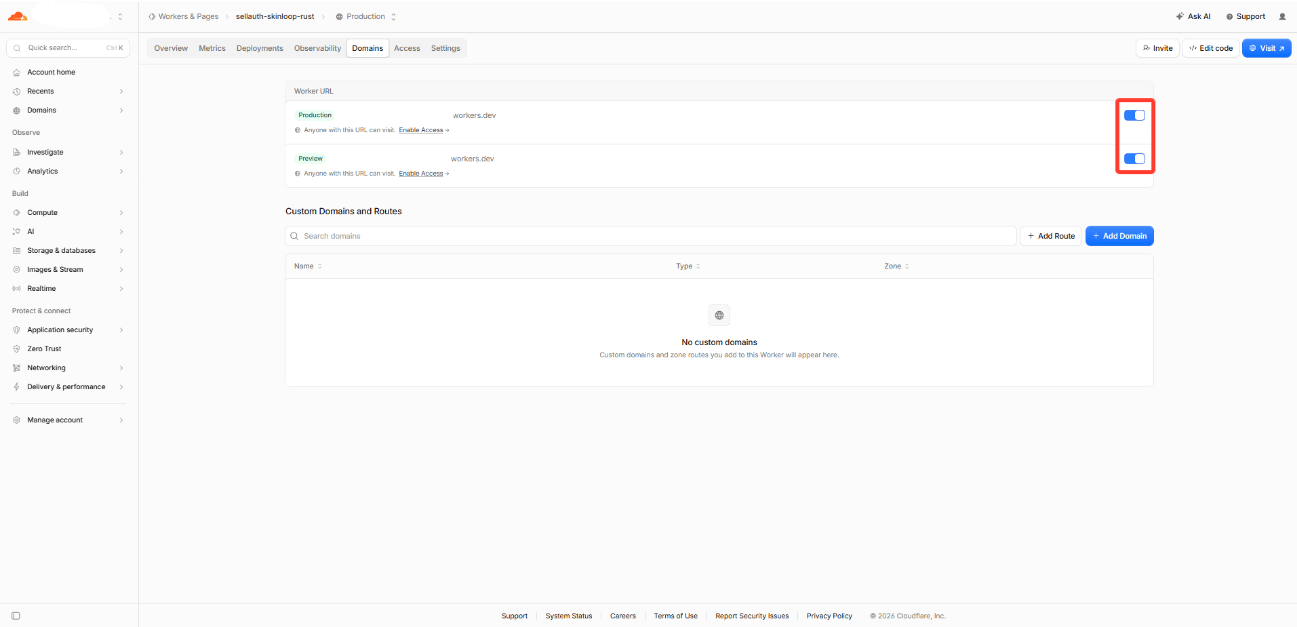
In Cloudflare → Workers & Pages → your Worker → Domains & Routes, turn on the Productionworkers.dev URL and copy it. Example:
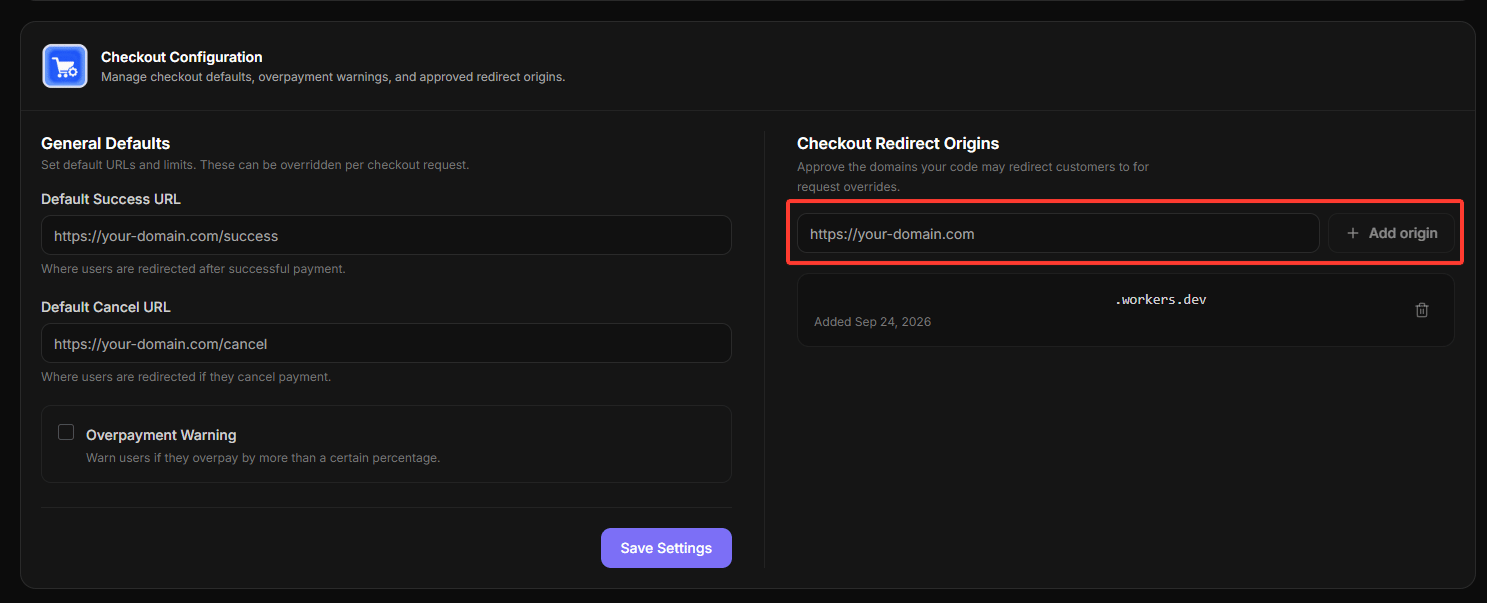
3. Connect Skinloop’s webhook
- Open your Worker URL and copy its
webhookEndpoint. - In Skinloop → API Keys & Webhooks → Webhooks, add that endpoint.
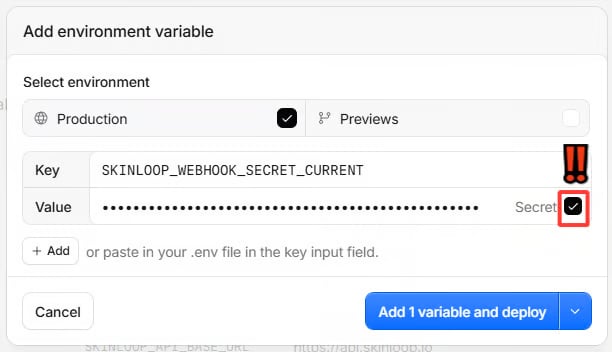
- Copy the signing secret Skinloop shows once. In Cloudflare → Workers &
Pages → your Worker → Settings → Variables and Secrets, add it as a
Production Secret named
SKINLOOP_WEBHOOK_SECRET_CURRENT, then deploy.
4. Add the SellAuth payment method
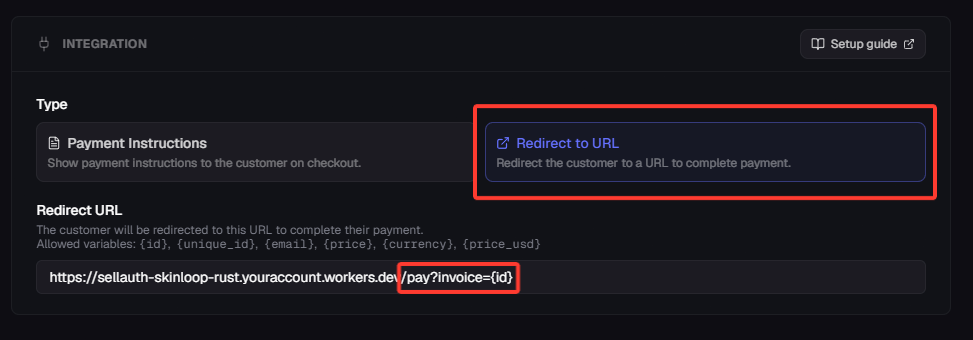
In SellAuth → Payment Methods, create a Custom Payment Method with Redirect to URL. Use your Worker URL followed by/pay?invoice={id}.
Example (replace the domain with yours):
{id} exactly as written; SellAuth fills in the numeric invoice ID.
Do not use {unique_id}. This integration accepts USD invoices only.

5. Test before enabling it for buyers
Use a SellAuth invoice with a valid buyer email to create a low-value unpaid Rust order. The bridge sends that invoice email to Skinloop when creating the checkout. Check that Skinloop shows the correct amount, a cancelled checkout does not deliver the invoice, and a completed payment marks it paid once. Enable the method for buyers only after this test succeeds.If checkout does not open
In Cloudflare → Workers & Pages → your Worker → Observability → Logs, find the failed/pay request by its time and open it. Send
Skinloop support the time (including time zone),
HTTP status, and error message shown to the buyer. If Cloudflare shows a
Ray ID in the request details, include it as the support reference. You can
also send the relevant log entry or a screenshot, but hide the invoice ID,
buyer details, and any secrets first. Never send API keys or signing secrets.
If no logs appear, turn on Workers Logs in Cloudflare’s Observability
settings. Do not retry a checkout if a payment may already be in progress;
contact support instead.